
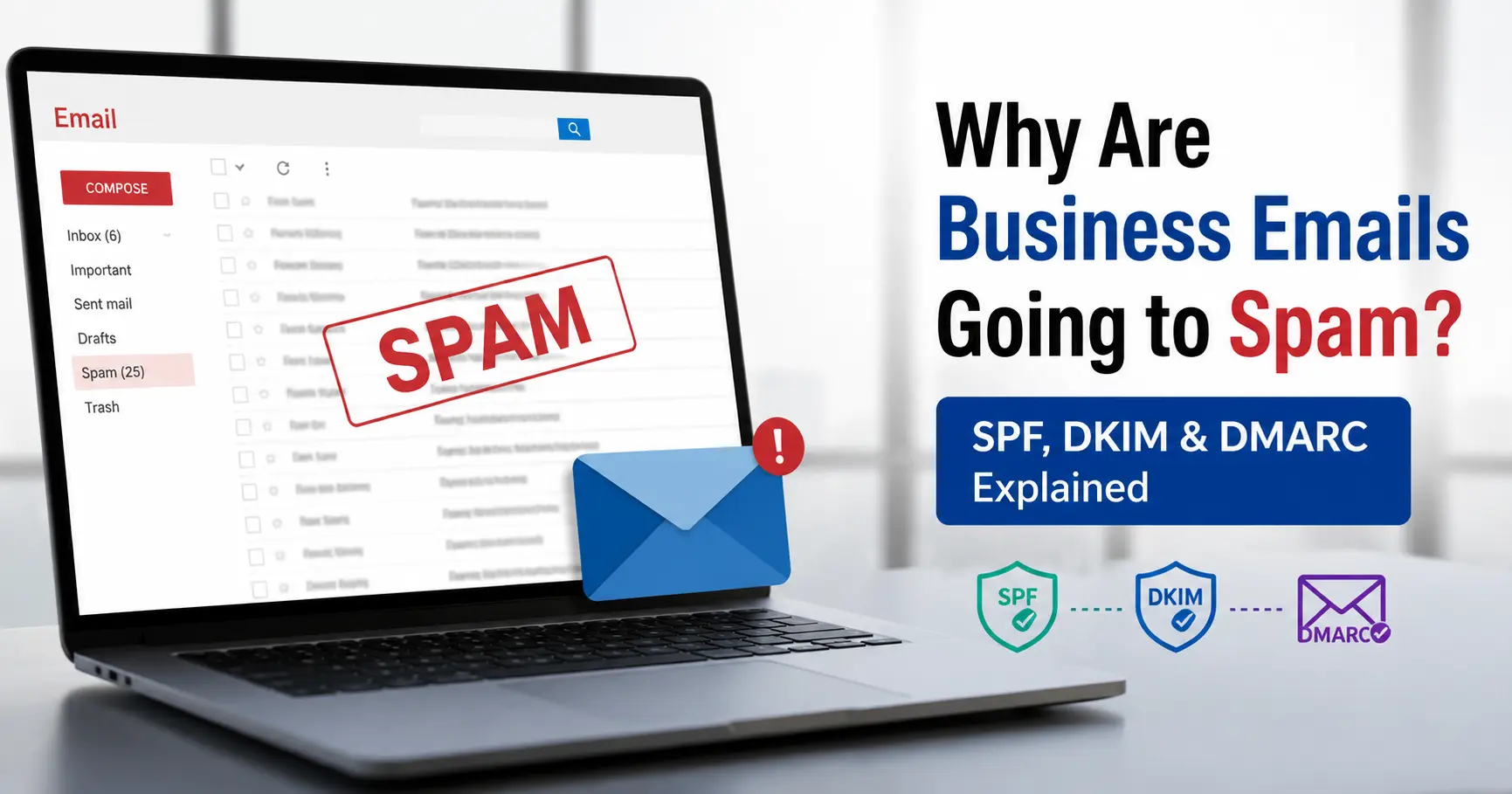
If your business emails are landing in spam, the cause is almost always one of four things: a missing or broken SPF, DKIM or DMARC record, a sender reputation problem tied to a new or misused domain, a blacklisted IP address (usually from shared hosting), or content that trips spam filters because of poor engagement signals. Authentication problems cause the majority of cases we see, and they're also the easiest to fix once you know exactly what's broken.
Here's the part most articles skip: having SPF, DKIM and DMARC "set up" doesn't mean they're working. We regularly find businesses with all three records published in DNS, yet still failing authentication, because the records are misconfigured, not aligned with each other, or silently broken by a technical limit almost nobody checks - the SPF 10-lookup cap. Google reported that its 2024 sender requirements alone cut unauthenticated messages reaching Gmail inboxes by 65%, removing roughly 265 billion unauthenticated emails in a single year. That's the scale of filtering you're up against, and it means "mostly working" authentication is treated the same as "not working" authentication by Gmail, Outlook and Yahoo.
The quick answer
Before the deep dive, here's what to check, roughly in order of how often each one turns out to be the culprit:
- Authentication records: SPF, DKIM, and DMARC missing, incorrectly published, or not aligned with your sending domain
- The SPF lookup limit: your SPF record silently fails once it needs more than 10 DNS lookups
- Sender reputation: new domains, sudden volume spikes, or inconsistent sending patterns
- IP reputation: shared hosting or shared email IPs blacklisted by another user's bad behaviour
- Content and engagement signals: low open rates, spam trigger phrasing, missing unsubscribe options
- Spoofing and phishing exposure: no DMARC enforcement policy, so anyone can impersonate your domain
Each of these is covered below, with the technical detail most guides leave out.
What SPF, DKIM and DMARC Actually Do
These three records work together, but they check different things, and understanding the difference matters because a failure in one doesn't always show up the way people expect.
| Record | What it verifies | Where it lives | What happens if it fails |
|---|---|---|---|
| SPF (Sender Policy Framework) | Which mail servers are allowed to send email for your domain | A TXT record in your domain's DNS | Receiving servers may reject or spam-flag the message |
| DKIM (DomainKeys Identified Mail) | That the message content wasn't altered in transit, using a cryptographic signature | A TXT record at a "selector" subdomain, e.g. selector1._domainkey.yourdomain.com |
The signature check fails, weakening trust in the message |
| DMARC (Domain-based Message Authentication, Reporting & Conformance) | Whether SPF and/or DKIM results actually align with your visible "From" address, and what to do if they don't | A TXT record at _dmarc.yourdomain.com |
Without DMARC, receiving servers have no instructions for what to do with a failed message, so they default to their own spam heuristics |
Why SPF alone isn't enough
SPF only checks the "envelope" sender against a list of authorised servers. It says nothing about whether the visible From address in someone's inbox matches, and it doesn't survive forwarding - if a message gets forwarded through another server, SPF almost always breaks. This is exactly why SPF passing doesn't guarantee inbox delivery, and why relying on it alone is a common mistake.
Why DKIM alone isn't enough
DKIM proves the message wasn't tampered with and confirms which domain signed it, but a message can have a perfectly valid DKIM signature from a completely different domain than the one shown to the recipient. Without DMARC checking alignment, a scammer could send a phishing email that passes DKIM under their own domain while spoofing your company name in the display name field.
Why DMARC is the piece that ties it together
DMARC is a policy layer. It tells receiving servers: "if a message claims to be from my domain but fails SPF and DKIM alignment, here's what to do with it" - monitor only (p=none), quarantine it to spam (p=quarantine), or reject it outright (p=reject). Publishing a DMARC record without setting an enforcement policy is one of the most common half-measures we encounter. Global research on 1.8 million domains found that while just over half now publish a DMARC record, more than half of those are still sitting at p=none meaning they get visibility into who's sending on their behalf, but zero actual protection against spoofing.
The Google & Yahoo Rules That Changed the Game in 2024
In February 2024, Google and Yahoo introduced sender requirements that reshaped how every business email gets filtered, not just marketing blasts. If you're wondering why authentication suddenly started mattering so much more than it used to, this is why.
For anyone sending more than 5,000 emails a day to Gmail or Yahoo addresses, the rules require valid SPF and DKIM, plus a published DMARC record at minimum p=none, one-click unsubscribe on marketing mail, and a spam complaint rate kept under 0.1% (with 0.3% treated as a hard ceiling). Cross that threshold and Google doesn't send your mail to spam - it rejects it outright with a 550 error, meaning it never reaches any folder at all.
Here's what most small business owners miss: even senders well below the 5,000-a-day threshold are affected, because Gmail, Yahoo and Microsoft's spam filters now use these same authentication signals as a general trust baseline for every message, not just bulk campaigns. A five-person consultancy sending 40 emails a day gets scored on the same underlying signals as an email marketing platform. Microsoft rolled out equivalent enforcement for Outlook, Hotmail and Live.com addresses in 2025, moving from a "junk folder" penalty to outright rejection for non-compliant bulk domains.
The Silent Killer Most Guides Don't Mention: The SPF 10-Lookup Limit
This is the issue that catches out growing businesses specifically, and it's the one we get called about most often when a client insists "the SPF record looks fine" because visually, it often does.
SPF is capped, by design, at 10 DNS lookups per check (RFC 7208, section 4.6.4). The limit exists to stop SPF checks from overloading receiving mail servers with DNS queries. Every include: mechanism in your SPF record can trigger one or more of these lookups, and modern businesses routinely stack several: Google Workspace, an email marketing platform like Mailchimp, a CRM, a helpdesk tool, an invoicing platform, maybe a marketing automation tool on top. Each one typically adds its own include: statement.
Once your SPF record needs an 11th lookup to fully resolve, the entire check returns a PermError, not a partial pass, a permanent failure, and DMARC treats a PermError exactly the same as an outright SPF fail. A recent scan of 5.5 million domains found that 4.8% of all domains publishing an SPF record had already exceeded this limit, most without realising it, because the record can look syntactically correct while still failing evaluation.
The genuinely maddening part: this failure is often intermittent. Not every receiving server evaluates every mechanism in the same order, so some emails might pass while others from the exact same setup silently fail, which is why this problem is so hard to diagnose from symptoms alone. If your deliverability has quietly worsened after adding a new SaaS tool, and nobody changed the "obvious" parts of your setup, this is the first thing to rule out.
How to check it: count every include:, a, mx, exists, redirect and ptr mechanism in your SPF record - each one can cost a lookup, and nested includes (a service that itself includes another service) count too. Free SPF checking tools will calculate this for you and flag records sitting at 8 or more as high risk, even if they haven't failed yet.
How to fix it: remove unused services from the record, replace lookup-heavy mechanisms with direct IP ranges where the provider publishes them (this is called SPF flattening), or consolidate multiple sending tools behind a single subdomain dedicated to that purpose. Avoid the ptr mechanism entirely - it's explicitly discouraged in the RFC and rarely necessary.
Why a Brand-New Domain Gets Flagged Even With Perfect Records
Authentication only proves you are who you say you are. It doesn't prove you're trustworthy - that's a separate signal called sender reputation, and it's built over time, not switched on.
A domain registered last week, with SPF, DKIM and DMARC configured correctly, that suddenly sends 200 emails in a day still looks suspicious to Gmail and Outlook, because that pattern new domain, sudden volume is exactly how spam operations behave. Inbox providers have no sending history to judge you against, so they default to caution.
The practical fix is domain warm-up: start with a small daily volume to your most engaged contacts, and increase it gradually rather than jumping straight to full volume. There's no universally agreed formula, but a common approach is increasing sending volume by no more than 20–30% a week while monitoring engagement, rather than scaling in large jumps. This isn't a one-off task either - reputation is reassessed continuously, so an erratic pattern (10 emails one week, 2,000 the next) damages trust even on an established domain, not just a new one.
The "Noisy Neighbour" Problem: Blacklisting via Shared Hosting
This is the issue we see most often on cheap or basic web hosting packages, and it's rarely mentioned because it has nothing to do with anything the business owner actually did.
Budget hosting plans and free email-with-hosting bundles commonly put you on a shared IP address the same numerical address used to send email for hundreds or even thousands of other websites on that server. Your sender reputation and that IP's reputation are effectively the same thing. If even one other tenant on that shared IP sends spam, gets compromised, or hits a spam trap, the entire IP can end up on a blocklist, and every legitimate business sharing it goes down with it, through no fault of their own.
The warning signs are usually: emails that were landing fine suddenly start bouncing or vanishing, with no changes made on your end. Checking your sending IP against the major blocklist databases (Spamhaus, Barracuda, SORBI, and similar) will confirm it quickly. The uncomfortable reality is that on a shared IP, you're partly dependent on your host actively managing who else is on that IP and how fast they respond to abuse reports, and on ultra-low-cost hosting, that kind of active management is often the first thing cut to keep margins thin.
The fix is either moving to a dedicated sending IP (justifiable once you're sending consistent volume) or switching to a reputable business email platform Google Workspace or Microsoft 365 where Google and Microsoft actively manage the shared infrastructure's reputation at a scale a budget host simply can't match.
AI-Enhanced Phishing and Spoofing: Why This Isn't Just a Deliverability Issue
Authentication isn't only about getting your own mail into inboxes - it's also what stops someone else from sending mail as your business. Without DMARC set to an enforcing policy, nothing technically stops a criminal from sending an email that appears to come from your CEO's exact address.
This isn't a hypothetical risk. The UK government's 2025/26 Cyber Security Breaches Survey found that 43% of UK businesses identified a cyber breach or attack in the past 12 months, and phishing was by far the most common type, experienced by 38% of businesses and rated as the most disruptive attack by 69% of those affected. In interviews conducted for that survey, IT staff specifically flagged that AI-generated impersonation attempts now look properly formatted and convincingly mimic real colleagues a qualitative shift from a few years ago, not just a volume increase. The scale of the financial risk is well documented globally too: in the US, the FBI's Internet Crime Complaint Center recorded $2.77 billion in Business Email Compromise losses across 21,442 complaints in a single year, almost entirely built on domain impersonation and lookalike sending the same underlying weakness UK businesses without an enforcing DMARC policy are exposed to.
A DMARC policy set to p=reject is the single most effective technical control against this specific attack, because it instructs receiving servers to block anything claiming to be your domain that doesn't align with your published SPF or DKIM. The catch, and the reason so many businesses are exposed without realising it, is that moving straight to p=reject without first monitoring reports at p=none can also block your own legitimate mail if any of your sending tools weren't properly included in your authentication setup. The safe path is always: monitor first, fix what the reports reveal, then enforce.
How to Diagnose Your Own Spam Problem
Before assuming the worst, run through this self-check in order:
- Check your authentication status. Send a test email to a Gmail address, open the original message, and look for
SPF=pass,DKIM=passandDMARC=passin the headers. Any single failure narrows down where to look next. - Count your SPF lookups. If you're anywhere near 8–10, that's your likely culprit, especially if the failures feel inconsistent.
- Check DMARC alignment, not just presence. A record that exists but sits at
p=nonewith no one reading the reports is providing visibility, not protection. - Check blocklist status for your sending IP, particularly if you're on shared or budget hosting.
- Check Google Postmaster Tools (free, and worth setting up regardless of your volume) for your actual reported spam rate and reputation score, rather than guessing.
- Review recent changes. Did you add a new marketing tool, switch hosts, or launch a new domain in the weeks before the problem started? Deliverability issues are rarely random - something usually changed.
Fixing It: The Order That Actually Works
Businesses often try to fix deliverability by rewriting email content first, chasing "spam trigger words." That's usually the wrong place to start, because content only matters once authentication and reputation are sound.
Step 1 - Get passing and aligned Ensure SPF, DKIM and DMARC are all passing and explicitly aligned with your visible "From" address. This single step resolves the majority of cases we see.
Step 2 - Audit and flatten SPF If you use more than two or three third-party sending tools (CRMs, invoicing platforms, helpdesks), audit your SPF record and flatten it to stay safely under the 10-lookup cap.
Step 3 - Roll out DMARC safely Publish DMARC at p=none first. Read the aggregate reports for a few weeks to catch any tool that isn't properly aligned, then progress to p=quarantine and eventually p=reject.
Step 4 - Address infrastructure and warm-up Move off budget shared hosting for email if your IP is shared with bad actors. If you're on a new domain, warm it up gradually rather than sending full volume immediately.
Step 5 - Only then, review content Subject lines, list hygiene and engagement signals matter, but they won't fix a broken authentication setup underneath them, so tackle this last, not first.
Related Guides
Business email problems rarely sit in isolation - they're usually tangled up with the domain, hosting or security setup underneath them. These cover the adjacent issues in more depth:
Domain Related Problems - SPF, DKIM and DMARC are all just DNS records sitting on your domain, so a lot of "email" issues are really domain configuration issues in disguise. Worth checking if you're also seeing website or DNS propagation problems alongside the email fault.
Hosting Related Issues - If the "noisy neighbour" shared IP blacklisting problem covered above sounds familiar, it's almost always a hosting-level issue rather than an email one, and usually needs fixing at that layer.
Website Security Issues - Domain spoofing and phishing rarely stop at email; a compromised or poorly secured website is often used as the landing page behind a spoofed email in the same attack.